Paints
Keep an inventory and wishlist, search by paint, brand or range, filter your collection, and scan supported bottle barcodes on iPhone.


Made for miniature painters
Your paints, recipes and projects. Together in one place.
One connected workspace
Keep an inventory and wishlist, search by paint, brand or range, filter your collection, and scan supported bottle barcodes on iPhone.
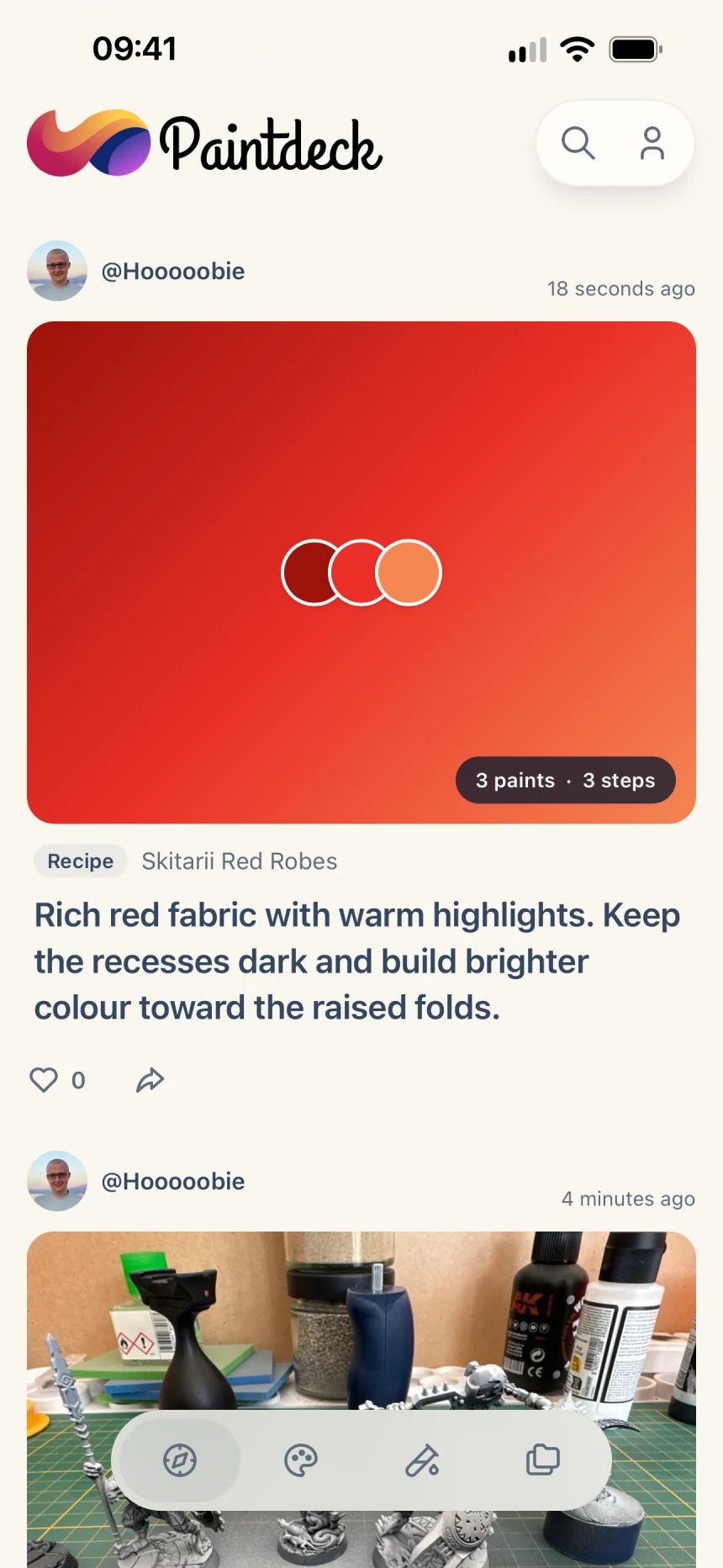
Record repeatable techniques as ordered steps with paints and other materials, then save or copy community recipes into your own workspace.
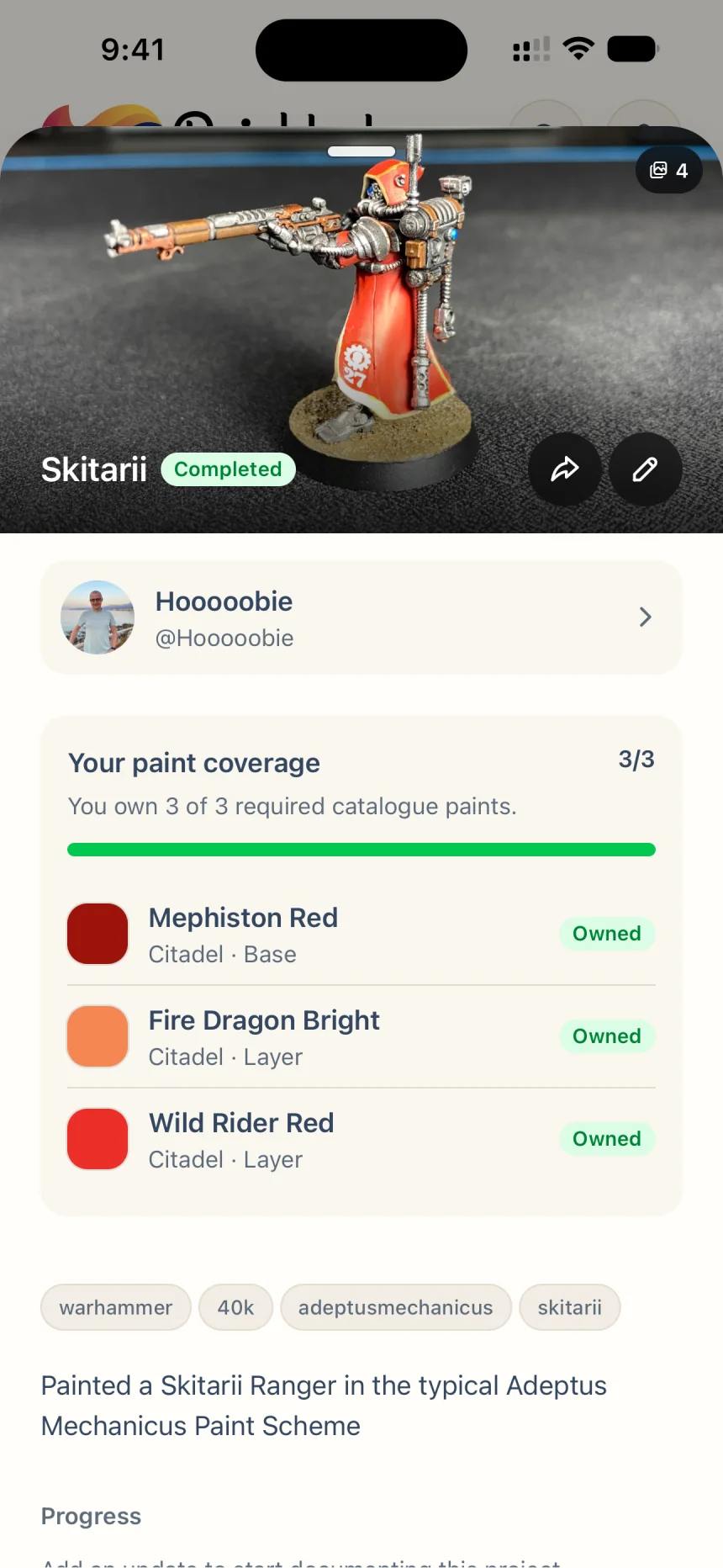
Plan each miniature, group related work, track its status, add notes and progress photos, and keep the relevant recipes attached.
Browse public projects and recipes, visit painter profiles, save useful work, and check which recipe paints are already in your collection.
Inside Paintdeck

Your collection, accounted for
Keep your paint inventory and wishlist together, then search and filter by paint, brand, or range whenever inspiration strikes.

Techniques that stay repeatable
Record ordered painting steps with paints and other materials, then refine each recipe into a reliable process you can return to.

Progress you can see
Group related work, track each project’s status, and keep notes, progress photos, and the recipes you used together from start to finish.
A community made for painters
Browse public projects and recipes, visit painter profiles, and save useful ideas while checking which paints are already in your collection.
Your account connects your paint collection, recipes and projects to you instead of a single device. It lets you access your saved work on another device and control which recipes and projects you share. You sign in with an email code; you do not need a separate password or a social-media account.
Yes. Sign in with the same email address on your devices to access the same saved paint inventory, wishlist, recipes and projects. Changes saved online are stored with your account. Reopen or refresh a view on another device to load the latest saved changes.
Paintdeck is built around your miniature-painting workflow: a searchable paint collection, step-by-step recipes with linked paints, and projects with progress photos. You can keep recipes and projects private or share them with other painters, then save useful community work for your own painting. It is a focused alternative for organising and sharing your hobby, with no usage analytics in the current app and no advertising profiles.
We want Paintdeck to be a place where you can simply enjoy your hobby. We don’t analyse your activity in the app or build advertising profiles about you. On this website, we measure visits and a few clicks to understand what’s useful—and you can switch that off anytime.
Bring your paints, techniques, projects, and the work that inspires you into one companion app.
'/%3e%3cpath%20fill-rule='evenodd'%20clip-rule='evenodd'%20d='M110.507%2091.5254C118.463%20103.801%20131.389%20113.126%20145.991%20116.949C134.007%2055.6729%20215.945%2037.6271%20215.945%2037.6271C163.175%208.95102%20110.507%2091.5254%20110.507%2091.5254Z'%20fill='%23102770'/%3e%3cpath%20fill-rule='evenodd'%20clip-rule='evenodd'%20d='M100.383%2021.6401C58.894%2058.9315%2049.2807%2035.7641%2050.6974%200.504884C21.9588%204.87418%200%2029.8706%200%2059.9476C0%2093.1746%2026.816%20120%2059.8047%20120C80.8528%20120%2099.371%20109.128%20109.996%2092.5649C109.996%2092.5649%20162.92%208.66784%20215.945%2037.6271C208.254%2018.0161%20190.647%203.75645%20169.295%200.504884C169.295%200.504884%20130.336%20-5.18536%20100.383%2021.6401Z'%20fill='url(%23paint1_linear_12_772)'/%3e%3cpath%20fill-rule='evenodd'%20clip-rule='evenodd'%20d='M81.9713%2069.7404C123.731%2049.8116%20167.512%20-18.3974%20215.945%2037.6271C208.26%2018.0033%20190.667%203.7515%20169.332%200.497808C169.332%200.497808%20137.077%20-4.17937%20108.766%2015.1394C105.935%2017.0713%20103.205%2019.2065%20100.475%2021.6468C59.0189%2058.9626%2049.4133%2035.78%2050.8288%200.497808C4.31732%2050.32%2033.4376%2093.0247%2081.9713%2069.7404Z'%20fill='url(%23paint2_linear_12_772)'/%3e%3cdefs%3e%3clinearGradient%20id='paint0_linear_12_772'%20x1='92.0255'%20y1='70.508'%20x2='143.809'%20y2='162.586'%20gradientUnits='userSpaceOnUse'%3e%3cstop%20stop-color='%23003780'/%3e%3cstop%20offset='1'%20stop-color='%23F95CF4'/%3e%3c/linearGradient%3e%3clinearGradient%20id='paint1_linear_12_772'%20x1='142.829'%20y1='-48.2083'%20x2='43.6069'%20y2='81.4257'%20gradientUnits='userSpaceOnUse'%3e%3cstop%20stop-color='%23FFCE4B'/%3e%3cstop%20offset='1'%20stop-color='%23B91C58'/%3e%3c/linearGradient%3e%3clinearGradient%20id='paint2_linear_12_772'%20x1='160.217'%20y1='-24.1483'%20x2='-28.2068'%20y2='-24.1483'%20gradientUnits='userSpaceOnUse'%3e%3cstop%20stop-color='%23FFCE4B'/%3e%3cstop%20offset='1'%20stop-color='%23B91C58'/%3e%3c/linearGradient%3e%3c/defs%3e%3c/svg%3e)
